Learn How to Sell on eBay
The original dropshipping portal, eBay has been opening doors for thrifty entrepreneurs for years. Learn how to use it to your best advantage.

Recommended for you
Master Brand Sales on eBay by Navigating VERO Risks, Authentic Sourcing, and Safer Alternatives
Thinking about flipping brand name products on eBay? You’re not alone. With over 180 million buyers browsing eBay every month, the lure of selling big-name brands is real. But eBay’s rules aren’t always clear, and one wrong move can get your account flagged or worse. So, what’s actually allowed, and how do you stay safe (and profitable) in the game? Let’s break it down.
The Real Opportunity (and Hype) in Branded eBay Sales
Selling branded products on eBay has become increasingly attractive, thanks to its expansive market and high demand for quality brand goods. Despite the enticements, sellers must navigate complex brand-related policies and potential pitfalls.
The Appeal of Branded Sales on eBay
Many entrepreneurs are drawn to branded sales for several reasons:
Increased credibility,
Higher profit margins,

Unlock eBay PowerSeller Status With Proven Steps to Boost Sales and Build Trust
Want to stand out and earn more on eBay? PowerSellers move more products, build stronger trust, and get perks that most sellers miss. As online marketplaces get more competitive, reaching PowerSeller status is a serious edge—only about 4% of eBay sellers hold it. Ready to level up? Here’s how you can join their ranks.

eBay Antique Selling in 2026: Trends, Sourcing, and What Really Sells
Hot Tips for Selling Antiques on eBay:
Spot Value in the Details: Always check for maker’s marks, hallmarks, or signatures—they're often the key to identifying hidden gems.
Check Sold, Not Listed: Use eBay’s Sold Listings filter to see what items actually sold for—not just what people are asking.
Tell the Story: Collectors buy history. Add era, origin, and any known backstory to boost buyer interest and trust.
Antiques aren’t just relics of the past—they’re one of the hottest, most profitable categories on eBay. Whether it’s a hand-painted porcelain plate from 1910 or a sterling silver tea set from post-war Europe, collectors across the globe are actively hunting for these timeless treasures.
And here’s the kicker: you don’t need to be an antiques expert or own a brick-and-mortar shop to cash in. With s
Free Shipping on eBay: The Truth Behind Profitability
When selling on eBay, offering free shipping often appears to be a surefire way to attract buyers and increase sales. After all, everyone loves the word "free," and buyers naturally gravitate toward listings that remove the guesswork of added shipping costs. But for sellers, the reality of free shipping is far more nuanced.
Does offering free shipping lead to increased profitability? The answer is not as straightforward as you might think. While free shipping can improve your visibility and appeal, it can also come at the expense of your margins if not carefully managed. In this guide, we’ll explore the economics of free shipping, delve into eBay’s fee structure, and offer strategies to help you decide if free shipping is a viable option for your eBay business.
How eBay’s Fee Structure Impacts Free Shipping
The cornerstone of understanding free shippi

eBay and PayPal Breakup: What eBay's Move to Adyen Means for Sellers in 2026 and Beyond
The partnership between eBay and PayPal has been one of the most significant alliances in the eCommerce world for over 15 years. However, this chapter of eBay's history officially began to close when the company announced its transition away from PayPal to the Dutch payments processor, Adyen, starting in 2020. Now, as we move deeper in, the full impact of this change is becoming clearer for sellers on the platform.
In this expanded analysis, we'll explore why eBay made this decision, how it has affected sellers, and what the future holds for those who rely on eBay as a major source of income. We'll also look into the reactions within the eBay community and discuss potential alternatives to PayPal for those who still prefer or need other payment methods.
Why Did eBay Part Ways with PayPal?
For many years, PayPal was synonymous with eBay. The companies were so closely
A Comprehensive Comparison: Amazon vs. eBay – Which Platform is Right for Your Online Business?
Many sellers make the mistake of putting Amazon and eBay in the same e-commerce basket. They fail to realize that the differences between Amazon and eBay are profound.
Let's use an analogy to illustrate my point: Imagine that you are a mechanic for a moment. Now someone with no experience with cars walks in and tells you that repairing a custom hotrod is the same as fixing a pickup truck! You would inform them that yes, the concept is the same, but you go about it in very different ways.
This is the correct way to understand the differences between Amazon and eBay. Unfortunately, these differences are often hard for novice sellers to recognize.
A good understanding of these differences enables a seller to potentially earn a good profit on both sites. But a lack of knowledge can quickly cause a seller to lose a lot of money fast.

Is the eBay Partner Network Worth Your Time in 2026? A Comprehensive Analysis
Any online seller worth their salt is always looking for ways to maximize their income. This includes adding passive streams of revenue, and one of the most popular passive streams available is affiliate marketing. Affiliate marketing is basically the process of selling products for someone else, but without all the legwork. In many cases you can get paid for someone else's sale just by funneling buyers through to their site.
The eBay Affiliate Program has traditionally been one of the most popular options for prospect affiliate marketers. It makes a lot of sense at first glance. If you're selling on eBay anyway, and you sell to visitors funneled from your own website, you can get paid twice. Of course, you can also get paid for money spent on other sellers' products.
It sounds like a win-win. So why has there been so much derision, criticism, and all around scoffing mockery as to the efficacy of the eBay affiliate program? Is it really worth your time? Today's the day you find out, as we go through the data together.
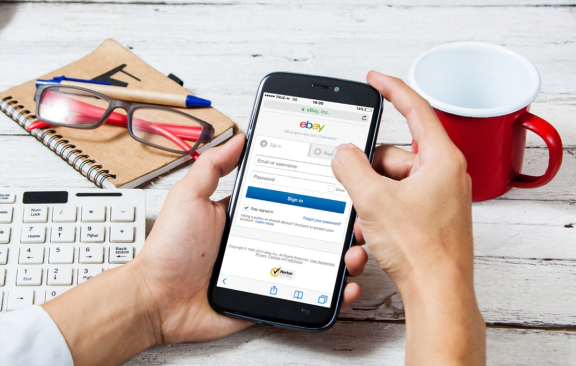
How to Calculate eBay Selling Fees in 2026: A Step-By-Step Guide
Selling on eBay is quite lucrative, but you need to know the ins and outs of making the most of the platform. Calculating selling fees can be a tall order because several add-ons will affect your profit if you are not savvy about it. eBay imposes insertion fees and final value fees on all items. There are shipping costs and international fees to consider. If you are a big business with many products for sale, you need to have an eBay store, which can only be done by subscription.
The Complete Guide to High-Profit Selling on eBay in 2026
How to sell on eBay?
Setting up an eBay account is easy. But actually generating sales can be more challenging. The most important aspect is knowing what to sell. You need to research what products are in demand and understand the price point for similar items. With a great product, the next step is to craft compelling listings with high-quality images and accurate descriptions. Focus on delivering excellent customer service to build up positive feedback. This will increase your visibility in search results and help you convert more shoppers.
Introduction
Are you thinking of selling on eBay?
That’s a smart choice. eBay is one of the most popular eCommerce platforms where millions of people shop every day. Imagine the huge audience of potential customers you could tap into!
But here’s the thing: Succeeding on eBay isn’t as simple as snapping a pic, lis

How to Receive More Positive Feedback from Buyers on eBay
The online marketplace known as eBay has been around for so long that people may have been taking it for granted at this point. Despite that, there are plenty of people whose lives are pretty much integral with the website. Some buy whatever they need from it, while others sell there on a regular basis. While most people either occasionally render services there or just browse around every now and then, those who do use the site regularly do have to care about their own reputations within it.
Much of that reputation is acquired through feedback, whether as a buyer or a seller. For this guide, we shall mostly focus on the eBay seller's side of things. Ideally, eBay feedback is a two-way street, wherein both buyer and seller leave each other feedback to help one another. Adding to that may be the first step for you to get more positive feedback on eBay, but there's a lot more to tha

How to Increase eBay Sales Without Breaking the Bank
Anyone running an online business is looking for ways to stack the deck in his or her favor. eBay sellers are no different. Any and every edge, no matter how small, is an opening to be exploited. If you're selling on eBay, you need to examine the major factors to top seller success.
Today we'll be discussing the major metrics common to eBay's top sellers. We'll examine the statistics behind the sellers with the highest sales volumes and try to gain some insights from those numbers.

How to take fantastic photos for eBay (and get your listings noticed!)
They say a picture is worth a thousand words, and when selling on eBay, that can certainly be true! We all know that taking great photos is key to getting more buyers interested, and making more sales. Recently however, when I logged onto eBay to search for a new sweater, I was quite shocked by some of the photos people were using. I have sold clothing items before, so I know that it can be difficult to do beautiful dresses and shirts justice, but I also learned the hard way that it is absolutely critical to take the time to get the best photos possible.
Why are photos so vitally important for online retailers?
Ever wondered why it's so important to list only the best photos of your items? The answer is really quite simple: because other than a product description, we have no other way of deciding whether the item we are looking at is right for us. When we buy at regular stores, we c

eBay Copyright Infringement: What to Do If Your Listing Is Removed
Being one of the world’s largest online marketplaces, eBay has its advantages for sellers. It provides immense exposure, transaction security and more.
To keep the site safe and foster trust, eBay enforces a number of rules. One of their policies aims to protect intellectual property owners from copyright, trademark or patent infringement by eBay users. They call this the VeRO program.
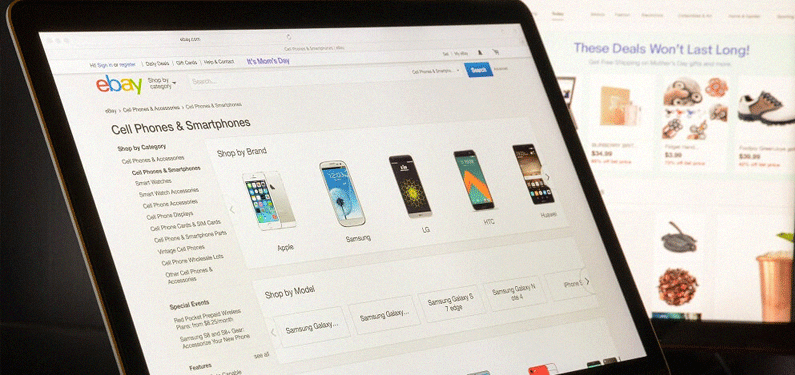
eBay Rolls out Changes to 'Best Match' Search Algorithm
eBay has recently rolled out new changes to Best Match, eBay's sorting algorithm which determines which listings rank at the top of the search results. Best Match is crucial to making sales on the platform and therefore, this new algorithm change can affect many sellers on eBay.
So what has changed with the new algorithm?
Well eBay aren't dishing all the details, and don't expect them to, but spokesperson Johann Hoff has said that "The real key to getting and keeping a good position in Best Match is to focus on sound business practices and delivering great value and service to buyers, and follow best practices better than competitors". She offers the following tips to eBay sellers:
Offer a good start price and reasonable shipping;
Provide good service;
List in the right format and the right categories;
Write accurate and relevant titles;
Write clear i
Improve Your Profit Margin With eBay Arbitrage
Looking for a ‘Get Rich Quick’ scheme? Then arbitrage would definitely qualify! Learn all about it here.
The Best eBay Apps to Supercharge Your Productivity and Profits
If you made $20 from 7 minutes work, you would feel pretty happy about it, right? However if it took you an hour to make that $20, your business simply wouldn't be as profitable. Profit margins on eBay can be tight. One way to help increase how profitable your selling ventures are is to really streamline your systems and make each transaction as fast for you to process as possible. Time is money, people!
Using eBay apps are a great way to speed up the process of listing, managing and fulfilling orders. eBay apps are verified by eBay, but most are created by third parties. Here are some of the most popular apps (as voted by users) that will help make you a more productive (and profitable) seller.
Cross Sell
Cross Sell lets you maximize sales by showing buyers your other listings, dramatically increasing your exposure and your chances of making additional sales. This free ap
What to do When Wholesale Prices are Too High
It's not uncommon for SaleHoo members to find products on eBay that appear to be cheaper than what our approved suppliers sell the items at.
Have you been conned? Are you missing something?
No, you're not being conned, but yes, you could be missing some crucial points that will help you understand how wholesale prices and wholesale buying works and how you can get the best prices possible. Here's a quick guide to why sometimes, you can't find wholesale prices lower than eBay prices and what to do about it.
Why are eBay prices sometimes lower than wholesale prices?
1. eBay has become a wholesale marketplace for many, many products.
A quick search on eBay for "bulk wholesale" reveals that you can purchase pretty much anything in bulk for decent wholesale prices.
A lot of sellers purchase bulk lots on eBay and split them up to resell them on eBay, their own website, or
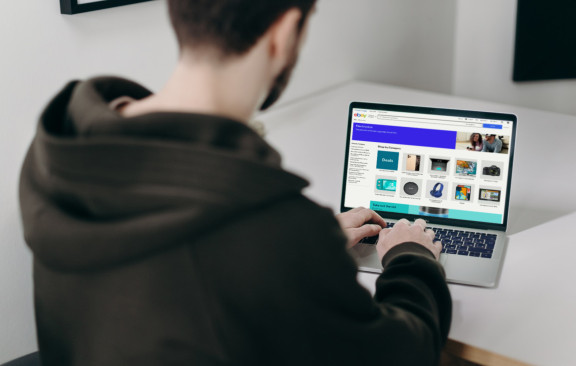
7 Deadly Sins When Writing eBay Product Descriptions
There are millions of listings on eBay, and thousands for any specific item you wish. So you can imagine how stiff the competition is for sellers. The typical eBay buyer has an attention span of 8 seconds for any one item they click on, and if they see something they don't like, they move on.
It could be anything from the lack of a photo to the shipping terms, but what most quickly turns off a buyer is a sub-par product description. Obviously, you want your eBay product descriptions to keep the buyer's attention long enough to make a sale.
There are two considerations when making a product description: form and content. Online auctions are highly visual, so buyers tend to make snap decisions based on how a page looks, and that includes eBay listings.
Before you can lure buyers into reading your product description, you must make sure the listing is visually appealing. Once they find the listing interesting enough to actually read, the content comes into play.
Below are the seven deadly sins when writing eBay product descriptions that can lead you to eBay seller hell.
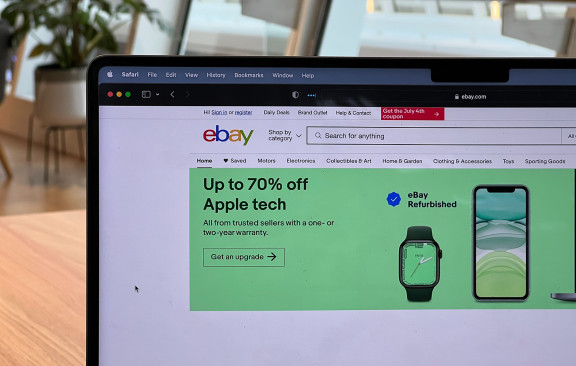
Making Money on eBay the Smart Way
Making money on eBay can be done without spending a dime. Lots of people do it, mostly by rooting through their attics and garages, even refrigerators, to find stuff they don't want or need, and then listing them in the hopes that someone will buy. It's pretty hit-and-miss, but if making money on eBay is just a hobby, it's all good. However, if selling online is something you intend to do for your bread and butter, then this half-assed way of doing it won't provide a happy ending.
So how do you sell on eBay the smart way?
Top 26 eBay Alternatives: The Best Websites to Sell in 2026
Are you fed up with eBay fees, intense competition and constant policy changes? Read this to find out the best and most profitable places to sell.

Ask an Expert: How to Remove Negative Feedback on eBay
What’s the best way to go about removing negative eBay feedback?
Step One to tackling negative eBay feedback is to get to grips with how the system works and why it's crucial for your reputation. When you receive that bad feedback, don't panic! Step Two? Respond promptly and professionally to share your side of the story. Thirdly, take a closer look at options for removing feedback, particularly if there's been a mix-up or a violation. Generally, the buyer must be at fault. So if eBay is unwilling to adhere to your feedback removal request, stay positive. View feedback as a chance to learn and improve your eBay game. Don’t forget, every setback is a step towards gearing your business for success!
It's no secret that not every eBay transaction goes off without a hitch. Sometimes, despite your best efforts as a seller, things can hit a snag and lead to
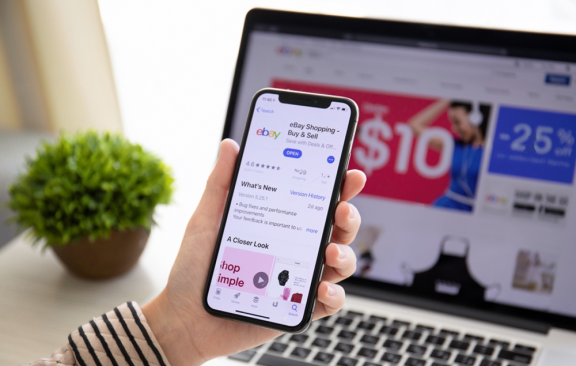
When is the Right Time to Set Up an eBay Store?
When is the right time to set up an eBay store?
The right time to set up an eBay store is when you're consistently generating a good volume of sales each month and find yourself frequently listing new products. If you're looking to build a recognizable brand, need better tools to manage your inventory, or want to save on fees, an eBay store is a good option. If your online selling is becoming more than just a hobby and you're ready to take it to the next level, it's time to set up a store.
For most people, starting an eBay business is very exciting. The desire to have a successful, thriving business and make lots of money right away can be overwhelming.
This makes some new sellers go a bit overboard in the beginning.
One of the primary ways new sellers often take on too much is by opening an eBay store as soon as they start selling on the platform.
This

eBay Dropshipping: 8 Tips for Guaranteed Success! [w/ Case Study]
eBay is a great platform for dropshipping in particular because it makes no distinctions between dropshippers and regular retailers. Dropshippers never lose out on privileges accorded to retailers; as long as an item is listed, it doesn't matter to eBay if the seller has the item on hand or not.
However, there are unique challenges that dropshippers face on auction sites like eBay, especially if you are just starting your own dropshipping business. Today we're talking about some of those issues, and how you can overcome them.

What Sells Best on eBay?
Just starting out on eBay? Check out our quick guide to getting started and fast tracking your success.
If you are new to eBay, then you should start by selling items from around the house. You might have read that same advice elsewhere and for good reason. eBay has become a intricate system and nothing can prepare you for the reality of selling. Everyone makes mistakes when they start out and it’s best to get some practice - to find out what sells best on eBay - before you start investing in inventory and selling seriously. eBay has an excellent guide to helping you find things around the house to sell.
Start by selling stuff from your home
If you are new to eBay, then you should start by selling items from around the house. You might have read that same advice elsewhere and for good reason. eBay has become a intricate system and nothing can prepare you for the real
How to Make Money Dropshipping on eBay (the Smart Way)
Did you know you can make money on eBay without spending a dime? Lots of people do it, mostly by rooting through their attics and garages, even refrigerators, to find things they don't want or need. Then they list them in the hopes that someone will buy. It's pretty hit-and-miss, but if making money on eBay is just a hobby, it's all good.
However, if selling online is something you intend to do for a living, having the equivalent of an online yard sale won’t cut it. So how do you sell on eBay the smart way?
Traditionally, you need to spend money to make money in retail. The first thing you need to realize is that the game has changed considerably since eBay and similar sites have provided anyone anywhere the opportunity to make money by selling online. Nobody ever said you couldn't use other people's money to make a profit for yourself.
This is what dropshipping is all about
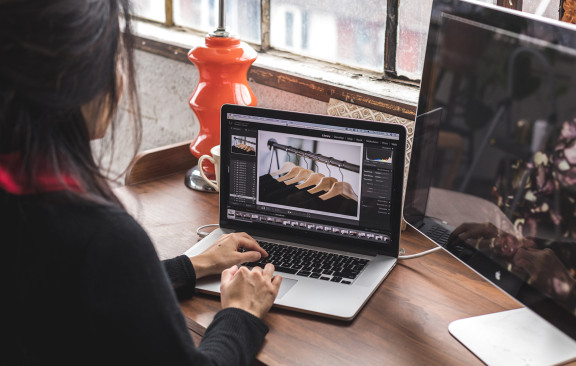
eBay Selling Tip: How to watermark your product photos
We all know the importance of taking good photos for our eBay listings. It's true what they say, a picture paints a thousand words! Wouldn't it be nice if a picture made you a thousand dollars?
Well, I can't make any promises, but here is a quick eBay selling tip that will make your product photos look ultra professional: Watermarking them!
Watermarking your product photos adds your business name or eBay username to images. Here's an example:
As you can see, the seller has added their logo to the bottom-right of the photo. In doing so, the seller makes full use of the two main benefits of watermarking your product photos:
The Benefits of Watermarking
1. It prevents other sellers from taking your photos and using them as their own.
2. It strengthens your brand and shows that you are an established, trustworthy business.
eBay's
Avoiding the Nightmare of Account Takeovers: It's more common than you think!
Doing business on the internet, although potentially very profitable, also carries with it certain risks. There will always be unscrupulous individuals wanting to get something for nothing, trying to steal your personal and financial information or do whatever else they can to rip you or others off.
What is an "Account Takeover"?
On eBay, one of the most serious and frightening ways criminals often try to perpetrate fraud is through what's known as account takeovers. Account takeovers are just like what they sound, someone else taking over your eBay account. And once someone takes over your eBay account, he/she can wreak all sorts of havoc in your name, defrauding buyers, spamming other eBay users, accessing your personal information, and even accessing your PayPal account and other financial information in some cases.
So as you can imagine, account takeovers are frighteni
Astonishingly Easy Ways to Make Your eBay Listings Go ‘Pop!’
Today we have another guest post for you from eBay PowerSeller and Former eBay Top Seller Account Manager, Erika Garnica.
An eBay listing is an advertisement. This may seem like common sense to some, but I’ve seen enough poorly-presented listings to know that it’s worth repeating.
Now this doesn’t mean that visual presentation is the most important factor in creating a successful listing. Obviously, price, title, and shipping cost are more crucial in obtaining a successful sale. But as eBay grows more and more competitive, oftentimes it’s not possible to underprice all of your competitors all the time, nor always offer free shipping, nor create a title that’s always significantly more effective than all the others for the same product.
As a result, convincing a buyer to purchase your item instead of someone else’s can often come down to other facto
Quick Guide to eBay Listing Upgrades: Are they worth paying for?
eBay fees are a sore point among many sellers. However, the fees you pay cover all the costs of making the marketplace so great. Along with listing fees and Final Value Fees, eBay also offers Listing Upgrades, but each come at a cost. These upgrades offer your listings greater exposure, and therefore, should increase your sale price.
There are a few Listing Upgrades to choose from, so which ones are worth paying for? Below I've listed eBay's most popular Listing Upgrades and offered my thoughts on each of these. Let me know your experiences with Listing Upgrades by leaving a comment below.
Also Read: eBay Dropshipping Guide
Gallery Plus
Cost: $0.35 or $1 for Good Til Cancelled (GTC) listings.
What you get: A larger version of your featured image which stands out in search results and attracts more buyers.
Worth having? Get used to me saying that it's worth paying ext

How to Come Up with Creative Ideas for What to Sell on eBay
3 Game-Changing Tips to Picking Profitable Products on eBay
Skip the hype, find the niche. Don’t chase crowded categories like electronics - focus on overlooked niches, micro-markets, and smart bundles.
Let data guide you. Use metrics like sell-through, competition, and pricing to validate ideas with SaleHoo Market Insights before investing.
Follow a repeatable system. Brainstorm, validate, research, and refine - consistent execution is what drives long-term success on eBay.
Why Choosing the Right Products Matters
If you’ve ever thought about starting an eBay business, you’ve probably asked yourself the big question: “What should I sell?”
It’s tempting to jump straight into the hottest trends - the latest smartphones, gaming consoles, or designer sneakers. A
How good is eBid for selling? An in-depth look
eBay has long been the undisputed king of online auction sites. It is certainly the standard by which all other online auctions are measured. Unfortunately, as of late eBay is drawing some disgruntled comments from sellers.
More and more people are being put off by eBay and are looking for reasonable alternatives where they can list their products. One of the big names thrown about on a consistent basis is eBid.
Today, we'll take a look at what makes eBid an attractive eBay alternative, where it comes up lacking, and what the best course of action for online sellers is.
The eBay Seller’s Guide to PayPal Claims, Disputes, and Chargebacks
There are over 179 million active PayPal accounts around the world. Of eBay’s 90 million users, almost 90% have a PayPal account. eBay even allows users to filter search results based on only displaying sellers who accept PayPal.
If you sell on eBay, accepting PayPal is critical to enjoying profits.
That very real truth doesn’t sit well with all eBay sellers, as PayPal has earned a less-than-stellar reputation among some merchants—especially when eBay and PayPal appear to favor the buyer when it comes to claims and disputes.
In reality, both companies have policies in place to protect both buyers and sellers.
When a customer issue arises with a purchase, eBay and PayPal have platforms available to facilitate resolution of the problem between the seller and customer. If a dispute cannot be resolved between the buyer and seller, it can escalate to a chargeba


