Where to Sell Online
There's no shortage of marketplaces and selling strategies for online businesses. But what do each of them offer? These resources will help you the best fit for YOU.

Learn How to Sell on Amazon
Amazon, the behemoth of eCommerce! Learn how to become a seller here and take advantage of the platform's continued upward trajectory.
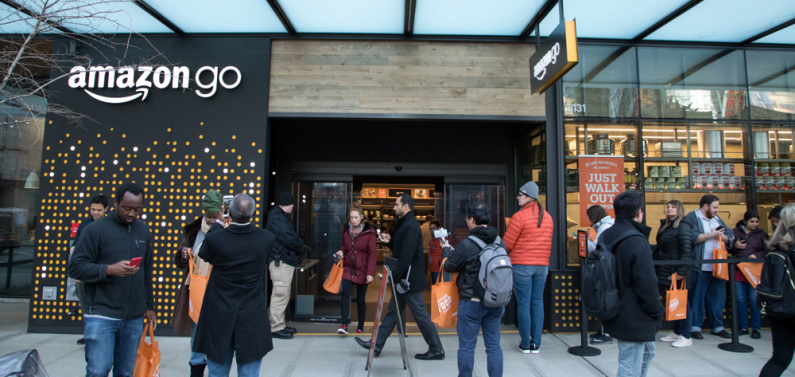
How Amazon Arbitrage Can Make You High Profits (Step by Step Guide)
How does Amazon arbitrage work, and is it still a profitable business model?
Quick Answer: Amazon arbitrage is an ecommerce strategy that involves buying products from a retail store or online marketplace at a lower price and reselling them on Amazon for a higher price. Retail arbitrage can be profitable with the right product selection and sourcing.
Post Contents: [ show hide ]
Introduction
How much do you need to begin Amazon retail arbitrage?
How Amazon arbitrage actually works - step-by-step
Amazon arbitrage step-by-step guide
Research profitable products
Set up a seller account
Find suppliers
Calculate profitability
List products on Amazon
Choose fulfillment method
Monitor and manage inventory
Optimize pricing
Provide excellent customer service
Scale your business
How profitable is Amazon arbitrage?
Amazon re

How to Quickly Get Reviews on Amazon Legally (9 Proven Ways)
You can encourage organic reviews through post-purchase emails, packaging inserts, Amazon’s “Request a Review” button, or participating in Amazon’s Vine Program.

Mastering Amazon PPC in 2024 (Updated Step-by-Step Guide)
Amazon PPC is an advertising platform that helps sellers promote their products on the Amazon marketplace. When a shopper searches for a product using a relevant keyword, the sellers with the highest bids win the auction, and their product ads get listed in the sponsored placements. Advertisers only pay the bid price if their ad gets clicked.

8 Amazon SEO Hacks That’ll Boost Sales in 2024 (Easy to Implement)
Boost your Amazon listings by using the right keywords, having a catchy product title and detailed product description that emphasizes product features, integrating high-quality images, encouraging reviews, having purposeful pricing, and enhancing backend optimization.
Learn How to Sell on eBay
The original dropshipping portal, eBay has been opening doors for thrifty entrepreneurs for years. Learn how to use it to your best advantage.
How to Calculate eBay Selling Fees in 2024: A Step-By-Step Guide
Selling on eBay is quite lucrative, but you need to know the ins and outs of making the most of the platform. Calculating selling fees can be a tall order because several add-ons will affect your profit if you are not savvy about it. eBay imposes insertion fees and final value fees on all items. There are shipping costs and international fees to consider. If you are a big business with many products for sale, you need to have an eBay store, which can only be done by subscription.
The Complete Guide to High-Profit Selling on eBay in 2024
How to sell on eBay?
Quick Answer: Setting up an eBay account is easy. But actually generating sales can be more challenging. The most important aspect is knowing what to sell. You need to research what products are in demand and understand the price point for similar items. With a great product, the next step is to craft compelling listings with high-quality images and accurate descriptions. Focus on delivering excellent customer service to build up positive feedback. This will increase your visibility in search results and help you convert more shoppers.
On this page
Introduction
Why sell on eBay
How to sell on eBay (step-by-step)
Create an eBay account

How to Receive More Positive Feedback from Buyers on eBay
The online marketplace known as eBay has been around for so long that people may have been taking it for granted at this point. Despite that, there are plenty of people whose lives are pretty much integral with the website. Some buy whatever they need from it, while others sell there on a regular basis. While most people either occasionally render services there or just browse around every now and then, those who do use the site regularly do have to care about their own reputations within it.
Much of that reputation is acquired through feedback, whether as a buyer or a seller. For this guide, we shall mostly focus on the eBay seller's side of things. Ideally, eBay feedback is a two-way street, wherein both buyer and seller leave each other feedback to help one another. Adding to that may be the first step for you to get more positive feedback on eBay, but there&

How to Increase eBay Sales Without Breaking the Bank
Anyone running an online business is looking for ways to stack the deck in his or her favor. eBay sellers are no different. Any and every edge, no matter how small, is an opening to be exploited. If you're selling on eBay, you need to examine the major factors to top seller success.
Today we'll be discussing the major metrics common to eBay's top sellers. We'll examine the statistics behind the sellers with the highest sales volumes and try to gain some insights from those numbers.
Learn How to Sell on Shopify
Shopify is the fastest-growing store builder on the web, with constantly improving features. Find out how to best use it to grow your business.

9 Trust Badges Used by 7-Figure eCommerce Stores (Instant Conversion Boost)
Launched a store but conversions are slow?
Looking for that special sauce for boosting sales?
If you’ve been trying in vain to find a reliable way to improve bounce rates, gain customer trust, and skyrocket conversions, look no further. This article will tell you how to do it.
Whether you’re a dropshipper or wholesale retailer, eCommerce trust badges are an awesome, yet often overlooked way to give your store that extra lift it needs to really get the profits rolling. Plus, they can give your brand that all-important good reputation on the web.
Online stores have been cropping up left right and center, especially since the pandemic, and there is a veritable ocean of places customers can choose to buy from online. Unfortunately, for all its ease and conve
Shopify vs. WooCommerce: Which is Better?
WooCommerce and Shopify are two of the top ecommerce platforms for running an online business. Combined, they account for half of the ecommerce platform pie in terms of usage.
What makes them popular and how do they stack up against each other? If I’m a new dropshipper, for example, which platform will be the best for me?
Decisions, decisions, decisions. To help you understand how each product works, we’ve created this comparative guide with a focus on WooCommerce and Shopify’s pricing structures.
Main Difference Between Shopify and WooCommerce
Here’s the thing, these two are completely different beasts in terms of execution. From how each one integrates into your business as a platform to how each product is priced, b

eCommerce Breakdown: BigCommerce vs. Shopify
Selling online is truly the wave of the retail future. Savvy retailers and newbies alike are well aware that this wave is just starting to crest. That's why there's such intense competition to be the best online store builder around. Today, we take a deep dive to see which eCommerce platformis right for you: BigCommerce or Shopify? Which one will prevail in the long run? That's a good question, which we'll attempt to answer in this article.
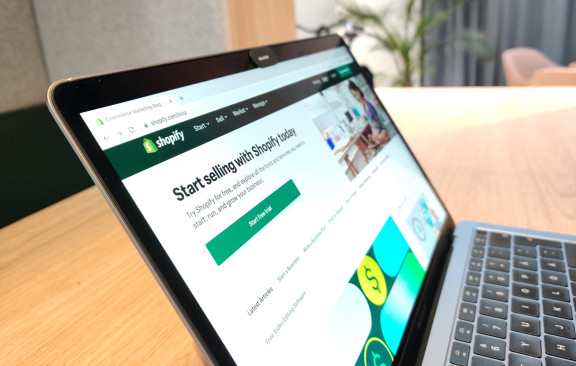
Shopify Markets Review: The Best Platform for Cross-Border Sellers?
Shopify has rolled out the early access of Shopify Markets to help merchants sell to new audiences.
Before Shopify Markets, you needed to sell on a marketplace or partner with a third-party retailer to reach international customers.
Shopify Markets enable you to sell to international consumers and avoid complex issues around currency conversion, import duties, local payment methods, and language translation.
It promises a lot, but does it live up to the hype?
Let’s find out in our Shopify Markets Review.
What’s inside? [ show hide ]
What Is Shopify Markets?
Selling on Online Marketplaces
Marketplaces. An ideal stepping stone for budding eCommerce businesses. Where to sell and what to consider? Learn all about it here.
How to Calculate eBay Selling Fees in 2024: A Step-By-Step Guide
Selling on eBay is quite lucrative, but you need to know the ins and outs of making the most of the platform. Calculating selling fees can be a tall order because several add-ons will affect your profit if you are not savvy about it. eBay imposes insertion fees and final value fees on all items. There are shipping costs and international fees to consider. If you are a big business with many products for sale, you need to have an eBay store, which can only be done by subscription.
The Complete Guide to High-Profit Selling on eBay in 2024
How to sell on eBay?
Quick Answer: Setting up an eBay account is easy. But actually generating sales can be more challenging. The most important aspect is knowing what to sell. You need to research what products are in demand and understand the price point for similar items. With a great product, the next step is to craft compelling listings with high-quality images and accurate descriptions. Focus on delivering excellent customer service to build up positive feedback. This will increase your visibility in search results and help you convert more shoppers.
On this page
Introduction
Why sell on eBay
How to sell on eBay (step-by-step)
Create an eBay account

Etsy SEO Bible: How to Rank High & Quickly Increase Sales
Getting noticed on Etsy requires a strategic approach to SEO. You need to target relevant keywords, optimize your listings, and create an appealing storefront. Etsy uses customer reviews as part of its ranking algorithm, so selling high-quality products and offering exceptional customer service is also key. We tackle what else you need to do to get your products ranking higher on Etsy in today’s eCommerce environment.
Post Contents: [ show hide ]
Keyword research for Etsy SEO
Optimizing product titles and descriptions
Utilizing Tags and Attributes
Build backlinks to your Etsy shop
Enhancing product images for SEO
Store and shop sections optimization
Leveraging customer reviews for SEO
Utilizing promoted listings to boost SEO performance
Monitoring and adjusting Etsy SEO

Maximizing Sales on Facebook Shop: An Expert Step-by-Step Guide
Social commerce, or selling things through social media, is changing eCommerce forever. If you sell online, you need to get on board now.
Selling on eCommerce Platforms
You want to build your own online store, but there are so many options! Find out the ins and outs of different platforms here.

16 Best Ecommerce Platforms & Online Store Builders in 2024
The best eCommerce platform depends on your needs and goals. A simple, user-friendly interface is key for beginners, while extensive customization and scalability might be more important for advanced sellers.

How to Get More Customers to Your Online Store
If you're struggling to generate sales, one of the following issues could be the reason. First, review your website. If your store is hard to use or slow, people will leave before buying anything.

19 Online Selling Apps to Make Money in 2024
Quick Answer: Some of the best and most trustworthy selling apps to make more money in 2024 include Shopify, BigCommerce, SaleHoo Dropship, Amazon Seller App, and others. There are many apps for many different aspects of the selling process, which we will go through below.

10 Best Shopify Alternatives (Free & Paid) to Consider in 2024
Some of the best Shopify alternatives are BigCommerce, Shift4Shop, WooCommerce, Wix, Magento, Squarespace, PinnacleCart, Ecwid, Prestashop, and Sellfy.
In-depth Courses
Fast-track your success with in-depth eCommerce training from the pros
Learn how to successfully build, launch, and grow your online store with courses taught by world-renowned eCommerce professionals. Exclusive to SaleHoo.
Featured by


Dropshipping on Shopify
The ultimate guide to building a successful dropshipping store using Shopify. You’ll learn how to choose the right product & supplier, build your store & drive traffic & sales.

Amazon Product Launch
A step-by-step, in-depth guide to launching your first product on Amazon (or any marketplace!) and building a full-time income online in just six days.


